This is the companion guide to the entity-resolution case study. It shows the exact Standard-mode setup we used to turn a plain merchant-extraction prompt into an 81% prompt at 41% lower per-call cost.
For the result interpretation, mode comparison, and trade-offs, read the
entity-resolution case study
Run configuration
- Dataset:
samples/entity-resolution/dataset.csvfrom the eigenprompt-resources repository, 140 rows. - Evaluation: quantitative, exact match.
- Target model:
groq/openai/gpt-oss-120b. - Optimizer models:
cerebras/gpt-oss-120bandcerebras/zai-glm-4.7, weighted equally. - Mode: Standard.
- Caps: $25 cost cap and 30-minute time cap.
- Quality analysis: enabled.
Step-by-step: the Standard run
Here is the whole Standard run, screen by screen, exactly as we configured it.
1. Define the task
Name the run, choose quantitative evaluation, and pick how outputs get scored. We chose Exact match: the model's answer either equals the label or it doesn't. The other match types (substring, fuzzy, JSON, LLM-judged) exist for tasks with softer edges; merchant resolution feeding a downstream system is not one of them.
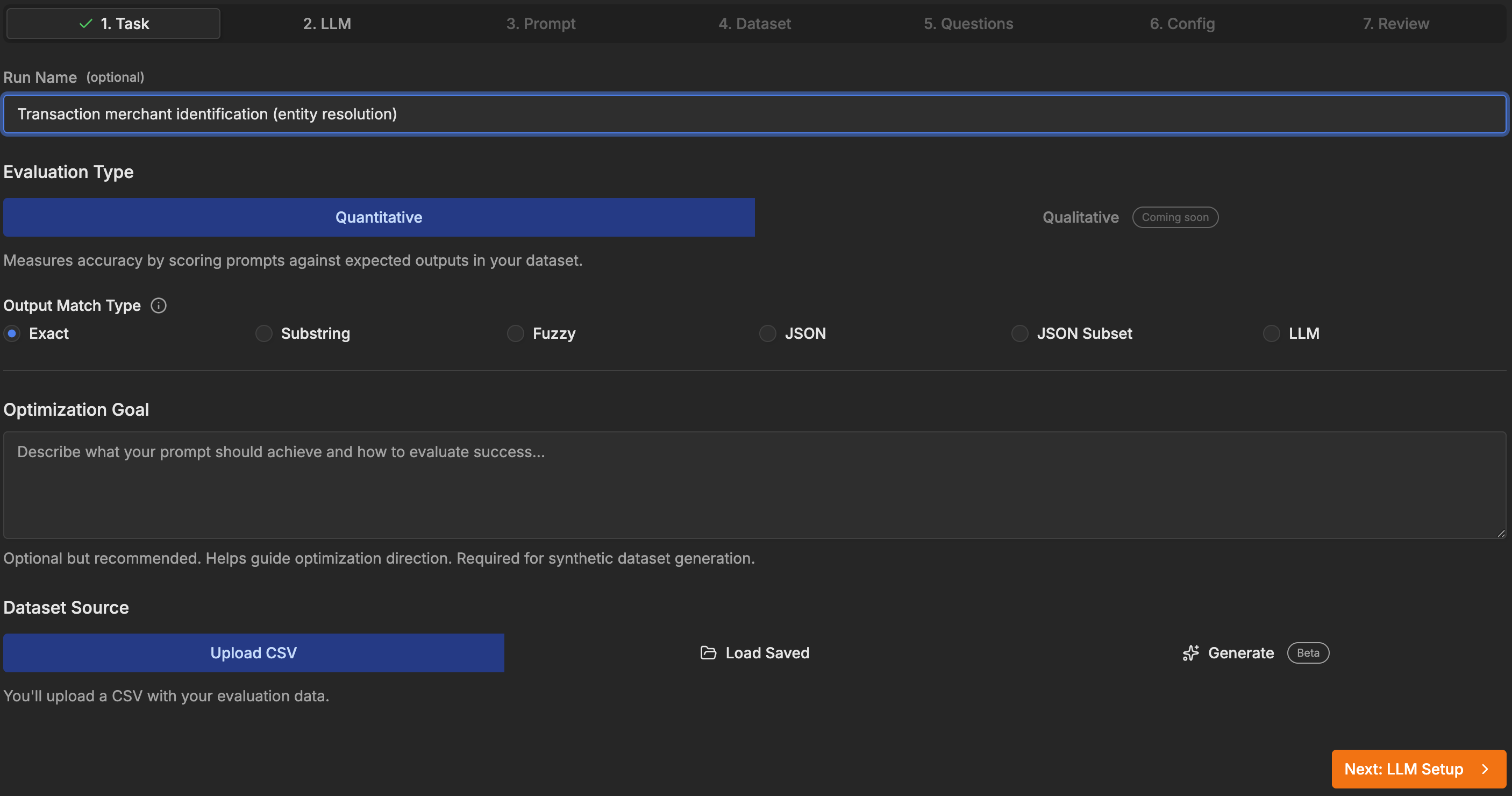
The Task tab: quantitative evaluation, exact match, and a CSV upload as the dataset source.
2. Pick the models
Two separate decisions live here. The target model is the one you'll run
in production, and the one every candidate prompt is scored against — here
groq/openai/gpt-oss-120b. The optimizer models work behind the scenes,
generating and refining prompt variations; we used cerebras/gpt-oss-120b and
cerebras/zai-glm-4.7, weighted equally. Optimizing for the exact model you
will pay for matters, because a prompt tuned on one model rarely transfers
unchanged to another.
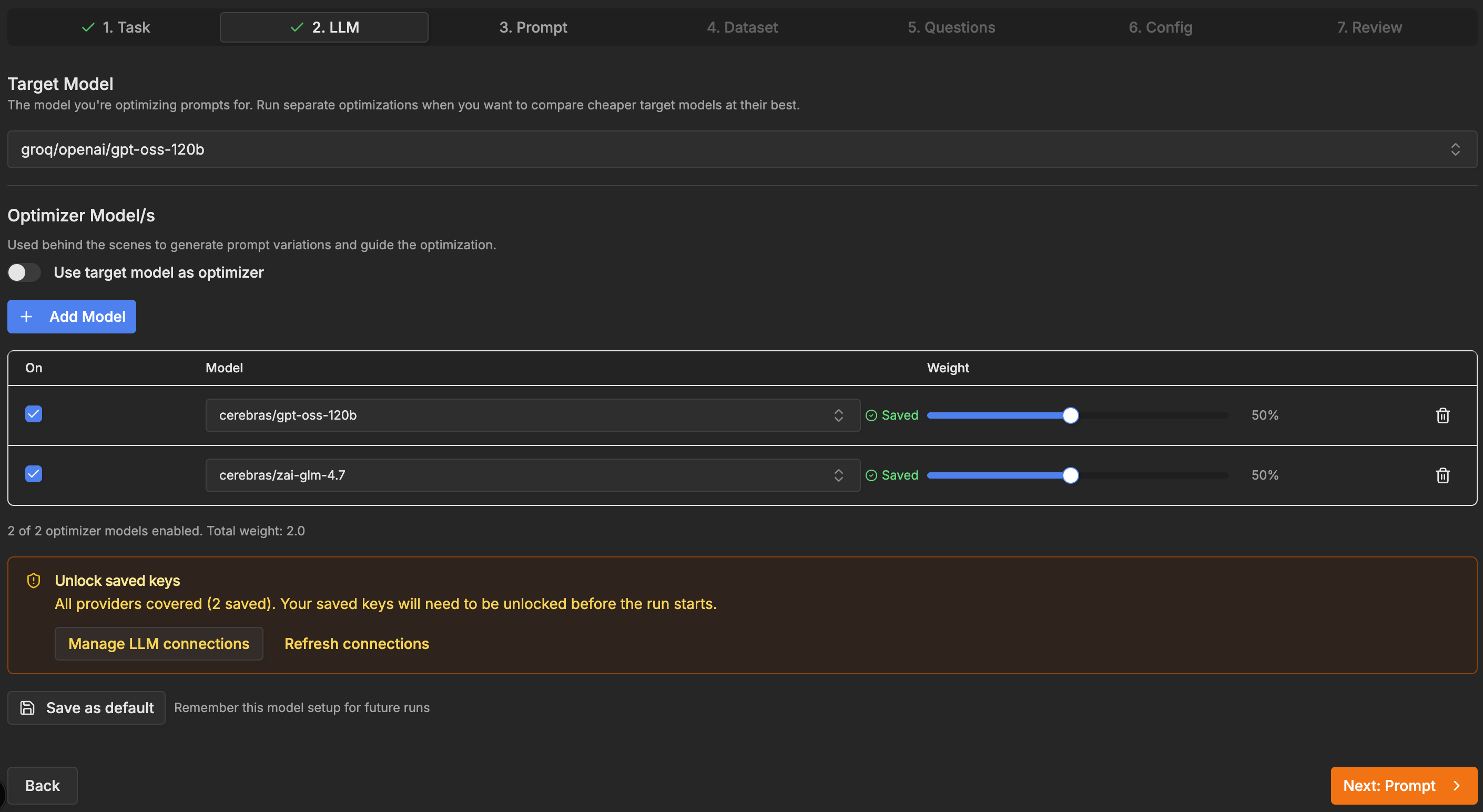
The LLM tab: one target model to optimize for, two optimizer models doing the rewriting.
Saved provider keys live in an encrypted vault, and unlocking them takes a vault passphrase that is deliberately not your account password. Before the run can call any provider, you unseal the keys:
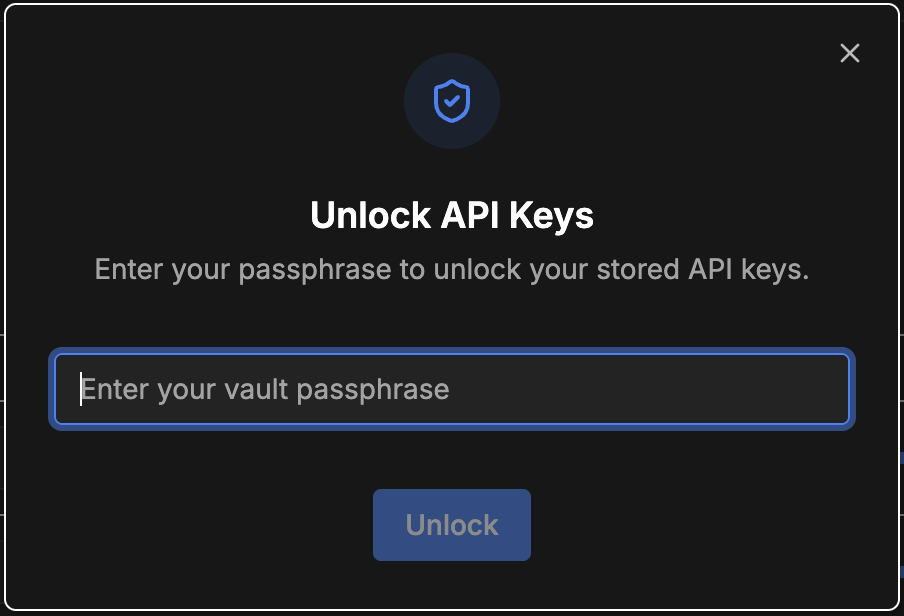
API keys stay encrypted until you unlock them with the vault passphrase.
3. Set the baseline prompt
Paste the prompt to beat. Template variables use {{VARIABLE}} syntax and map
to dataset columns; this prompt has just one, {{INPUT}}.
Identify the primary merchant from this bank transaction description.

Transaction: {{INPUT}}

Output only the canonical merchant name (e.g., 'Amazon', 'Starbucks', 'Netflix').
If no merchant can be determined, output 'Unknown'.
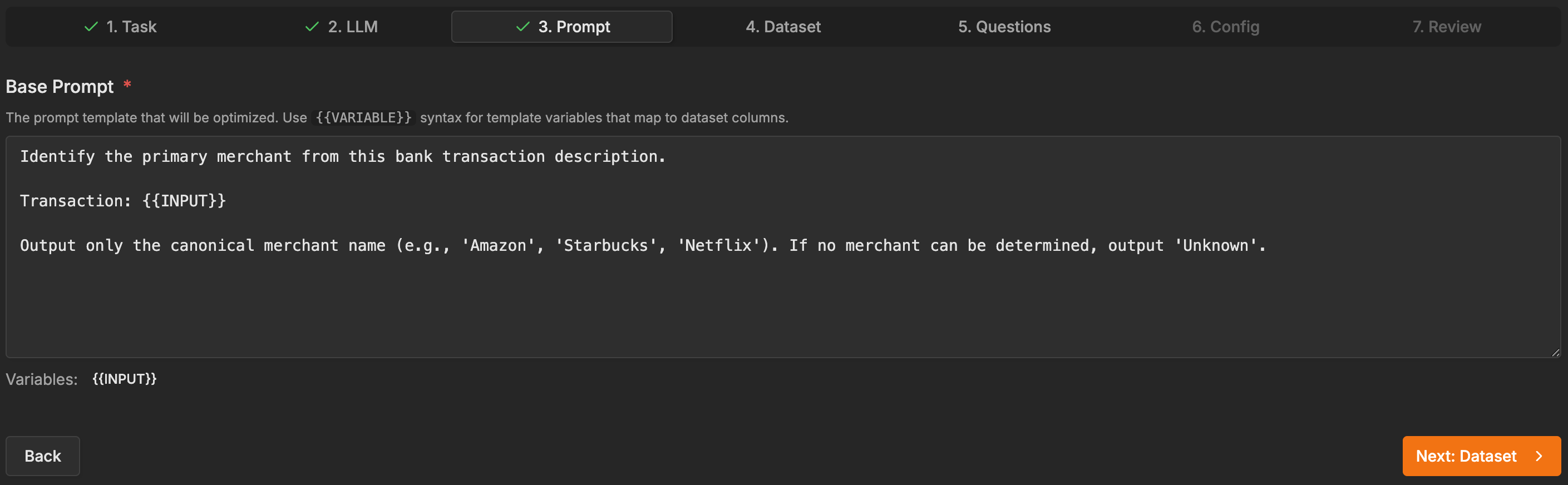
The baseline prompt: plain instructions, one variable, the Unknown fallback spelled out.
4. Upload the dataset
The CSV needs a column per template variable plus an EXPECTED_OUTPUT column.
The upload screen shows the parsed rows so you can sanity-check the mapping
before spending anything — 140 rows, two columns, editable inline.
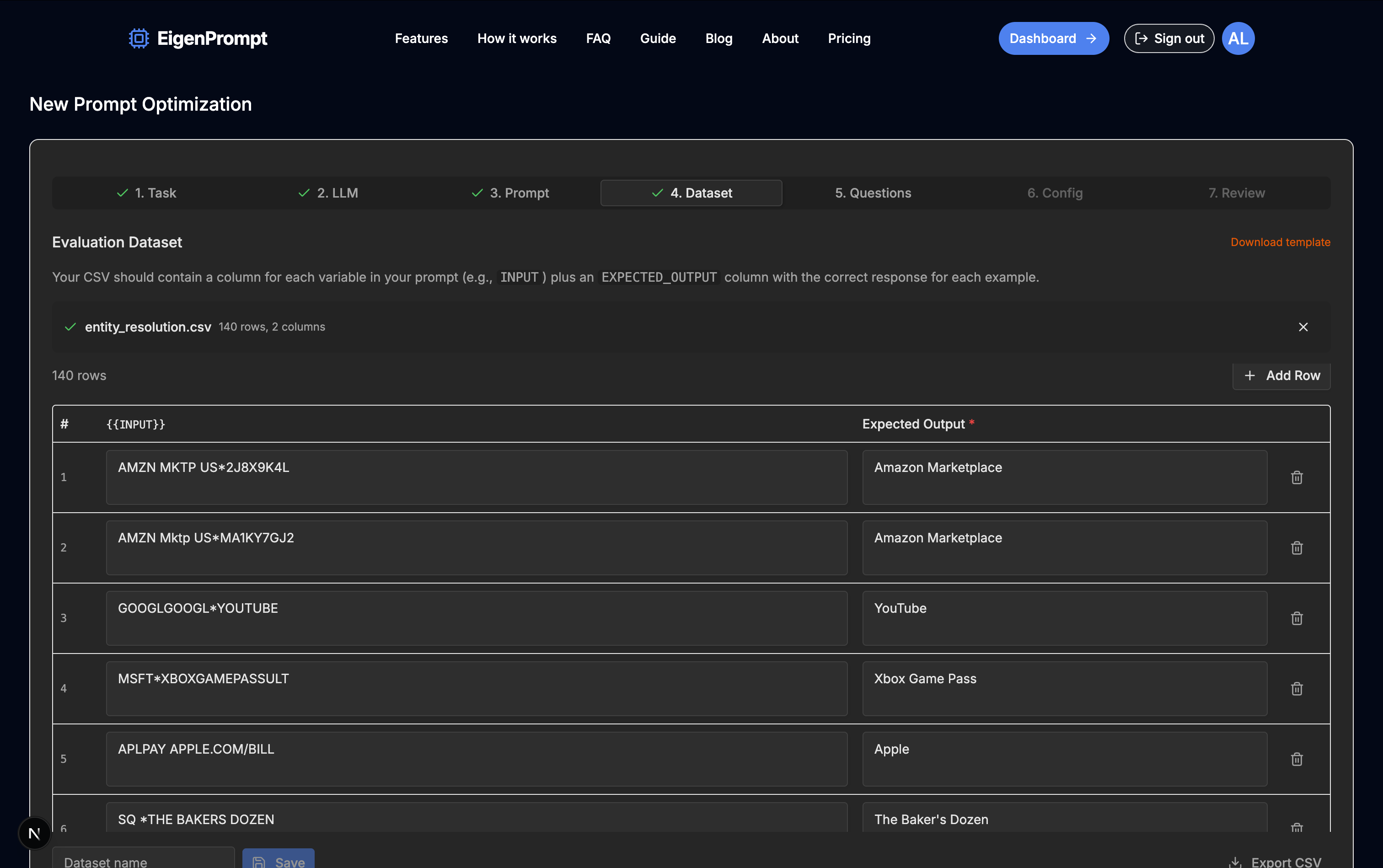
The Dataset tab: dataset.csv, 140 rows, descriptors on the
left, expected merchants on the right.
5. Answer a few questions — or don't
A short questionnaire lets you steer the optimizer, starting with what you actually care about: maximum accuracy, minimum latency, or a balance. Every answer is optional.
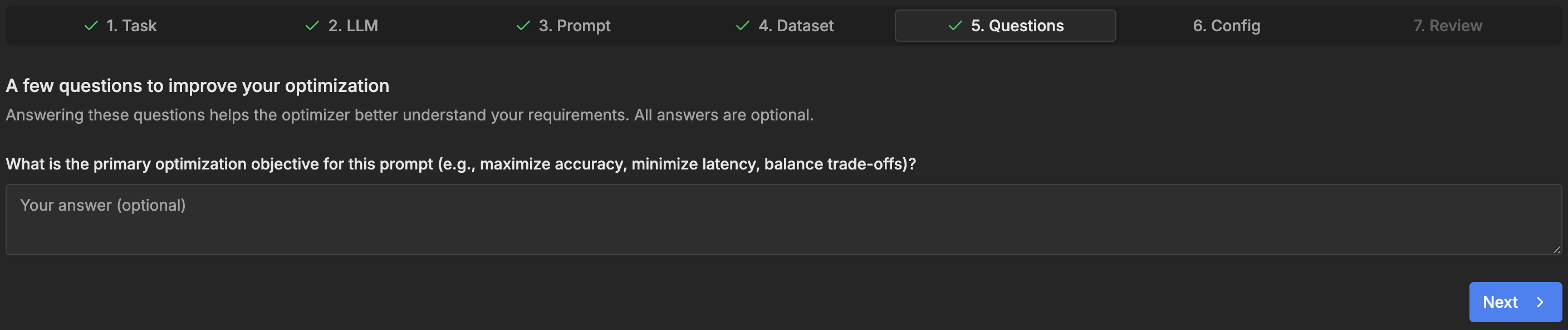
The Questions tab. Useful steering if you have opinions, skippable if you don't.
6. Choose a mode and set the caps
Four modes trade search depth for cost: Efficient (~0.5x cost), Standard (base cost, the default), Advanced (3–5x, multiple strategies and a wider search), and Max (5–10x, the deepest search). We picked Standard and set a $25 cost cap and a 30-minute time cap, with batched evaluation (batch size 20) and quality analysis enabled.
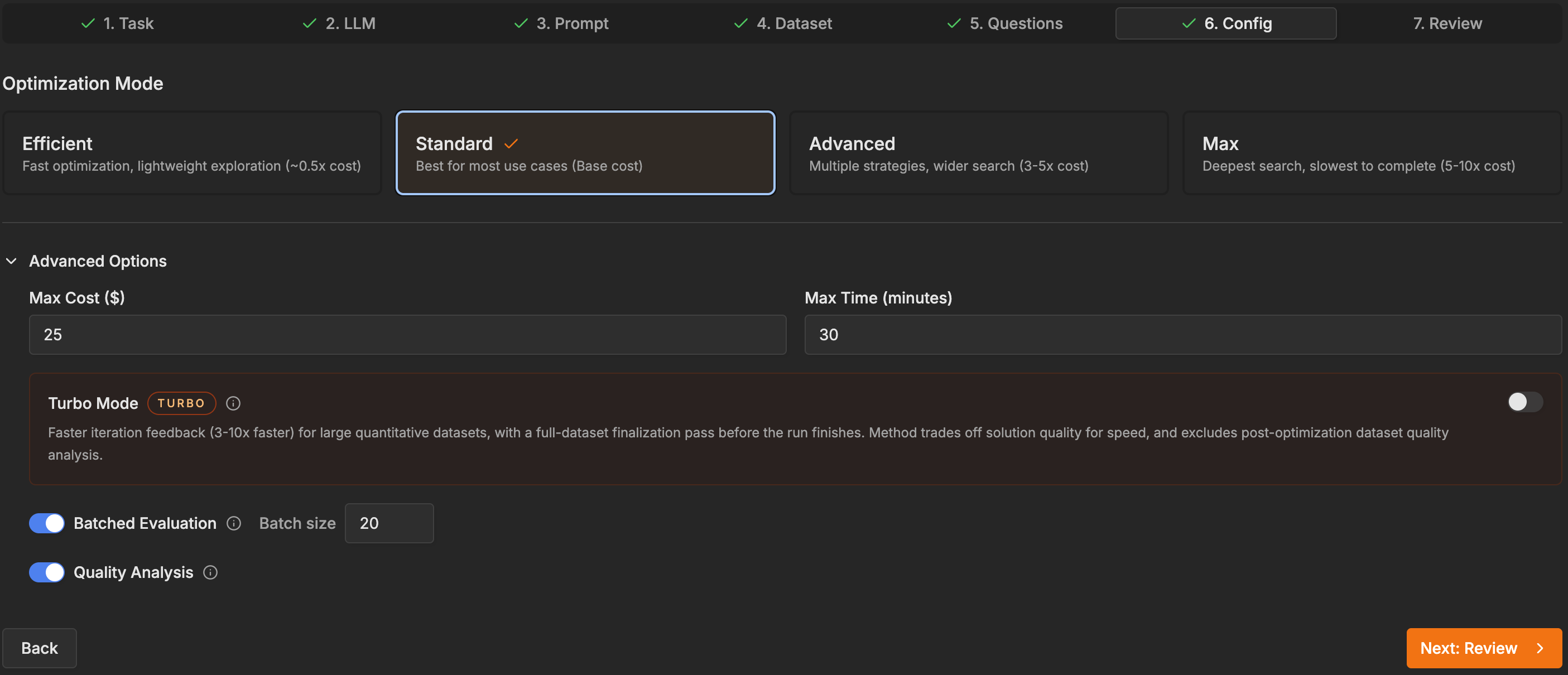
The Config tab: Standard mode, a cost cap, a time cap, and quality analysis switched on.
7. Review and launch
The review screen replays the whole configuration, then states the terms: this run uses one credit, and the improvement guarantee means no credit is spent if no better prompt is found.
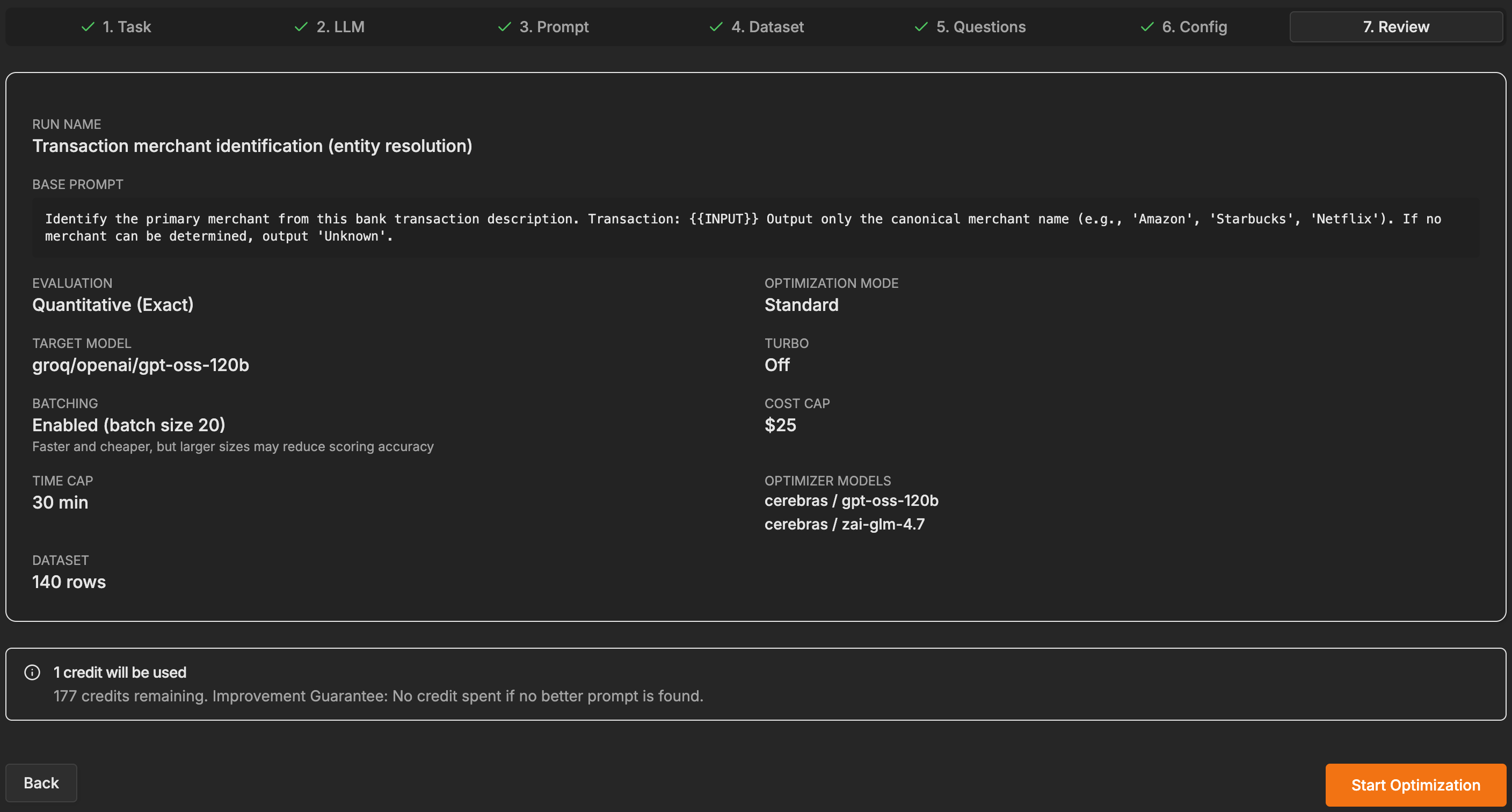
The Review tab. One credit, spent only if the optimizer actually beats your baseline.
8. Read the results
Forty-one minutes later the run came back with 48 candidates tested and a three-point frontier. The headline writes itself: the best prompt scored 81% at 59% of the baseline's cost, and the cheapest frontier prompt held 67%, still above the 64% baseline, at 36% of its cost.
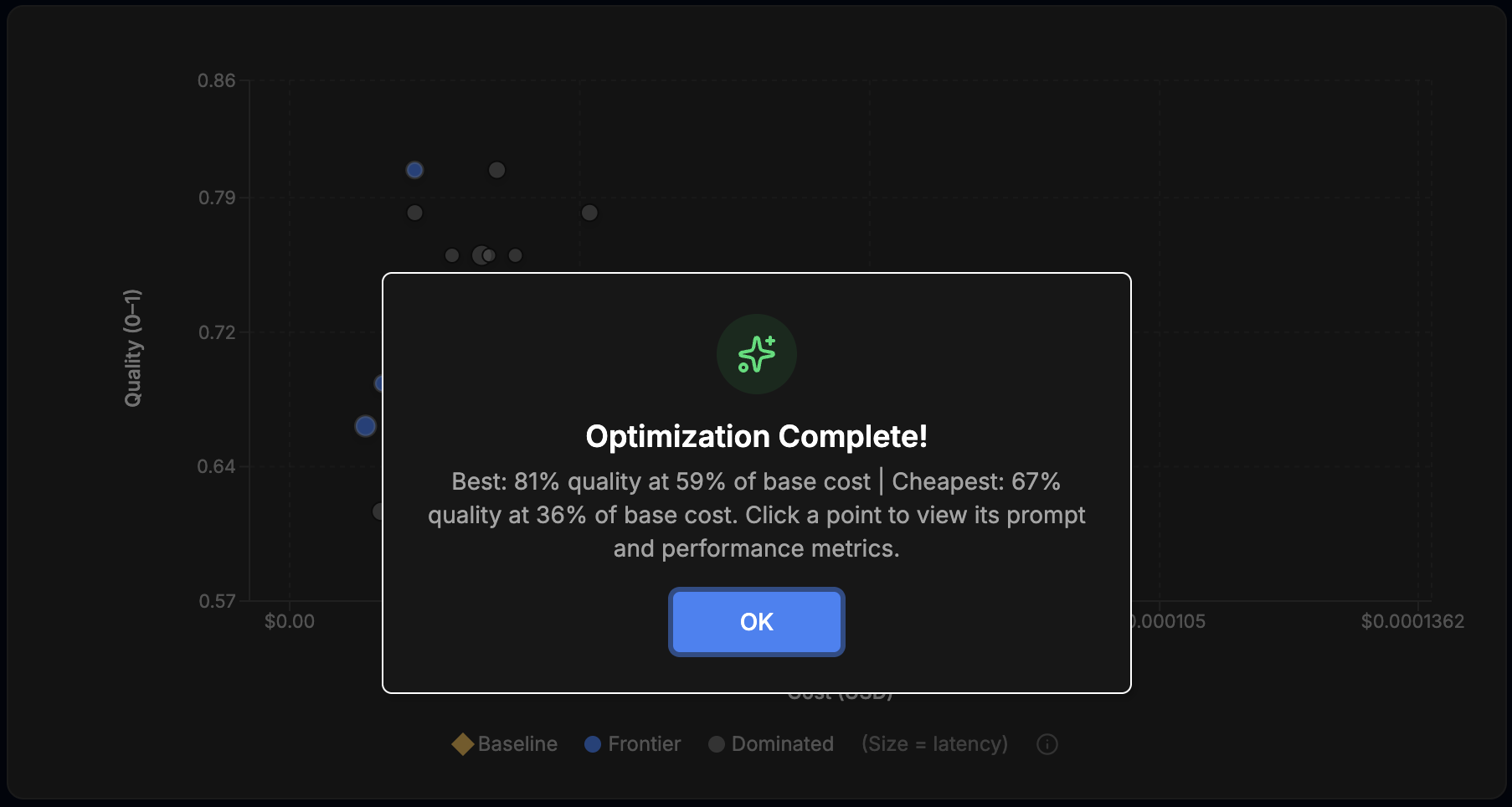
The completion summary: better and cheaper at the top of the frontier, much cheaper and still above baseline at the bottom.
Behind the chart is the full candidate table, one row per prompt, with quality, cost, p95 latency, and frontier status. It is worth a minute of scrolling: the top two rows both score 0.81, but only the $0.0000151-per-call one is on the frontier. The $0.000025 version is dominated — same accuracy, 66% more expensive.
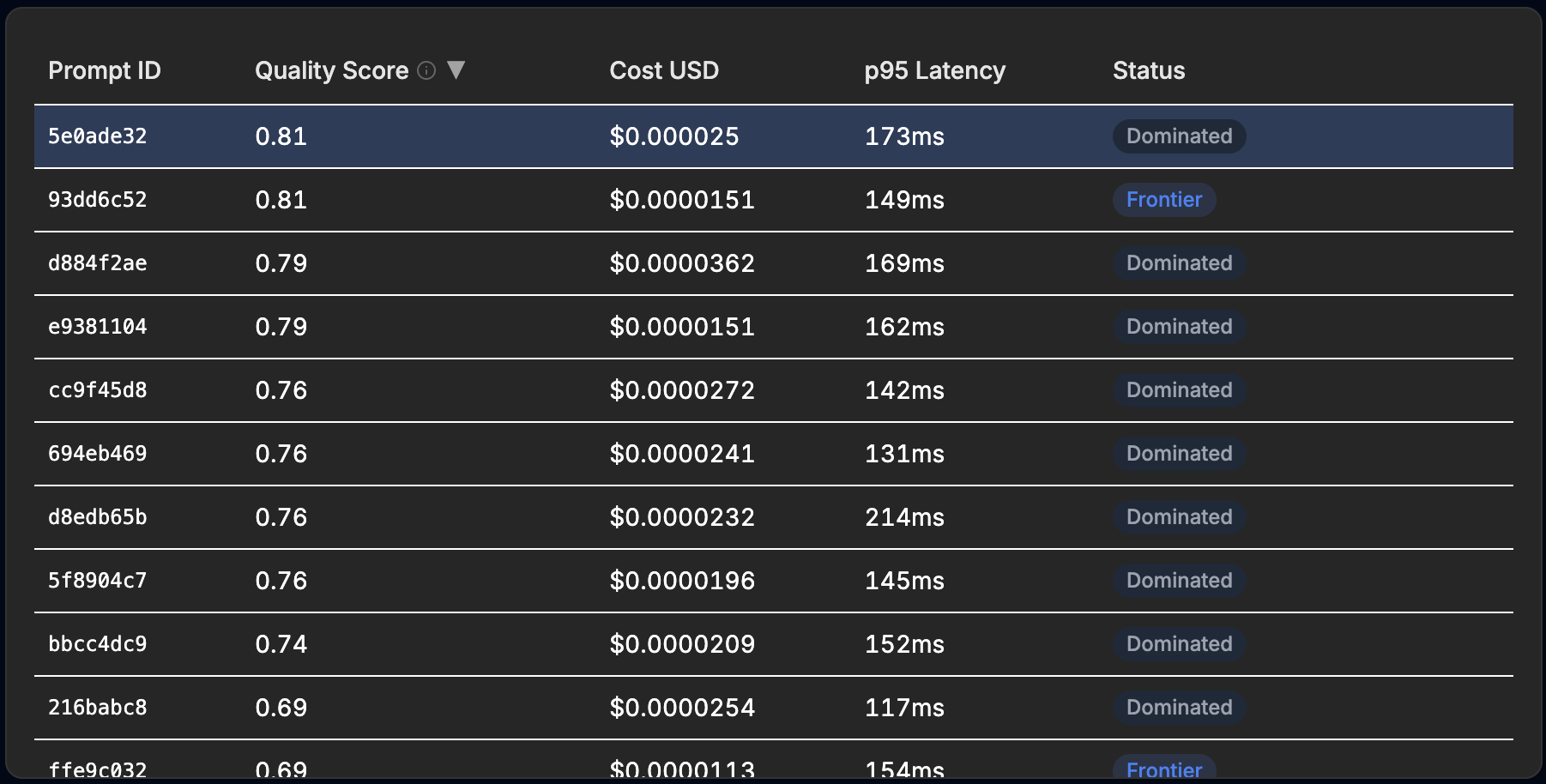
The candidate table. Two prompts hit 0.81; the cheaper one makes the frontier, the other is dominated.
And here is what the search actually found. Before and after:
Before: the baseline, 64%
Identify the primary merchant from this bank transaction description.

Transaction: {{INPUT}}

Output only the canonical merchant name (e.g., 'Amazon', 'Starbucks', 'Netflix').
If no merchant can be determined, output 'Unknown'.
After: the best Standard prompt, 81%
Extract merchant from {{INPUT}}, normalize to official brand name. Output name only, or 'Unknown', no extra whitespace.
The winner is one line. Two phrases in it are doing the work. "Normalize to
official brand name" tells the model to canonicalize rather than echo:
DUNKIN #312456 BOSTON MA should come back as the brand, not the descriptor.
And "no extra whitespace" guards the exact-match scoring against the dumbest
possible way to lose a point. Because the prompt got shorter, every call also
got cheaper. The cheapest frontier prompt goes further down the same path —
Normalize {{INPUT}} to official brand name or 'Unknown'. — and holds 67% at
about a third of the baseline's cost.
The Standard run's winning prompt is seventeen points more accurate than the baseline and 41% cheaper per call. Same run, same credit.
9. Inspect the misses
This is the part most optimization writeups skip, and it is where the run gets honest. Quality analysis produces two review tables: examples no candidate solved, and examples solved by fewer than 10% of the prompts tested.
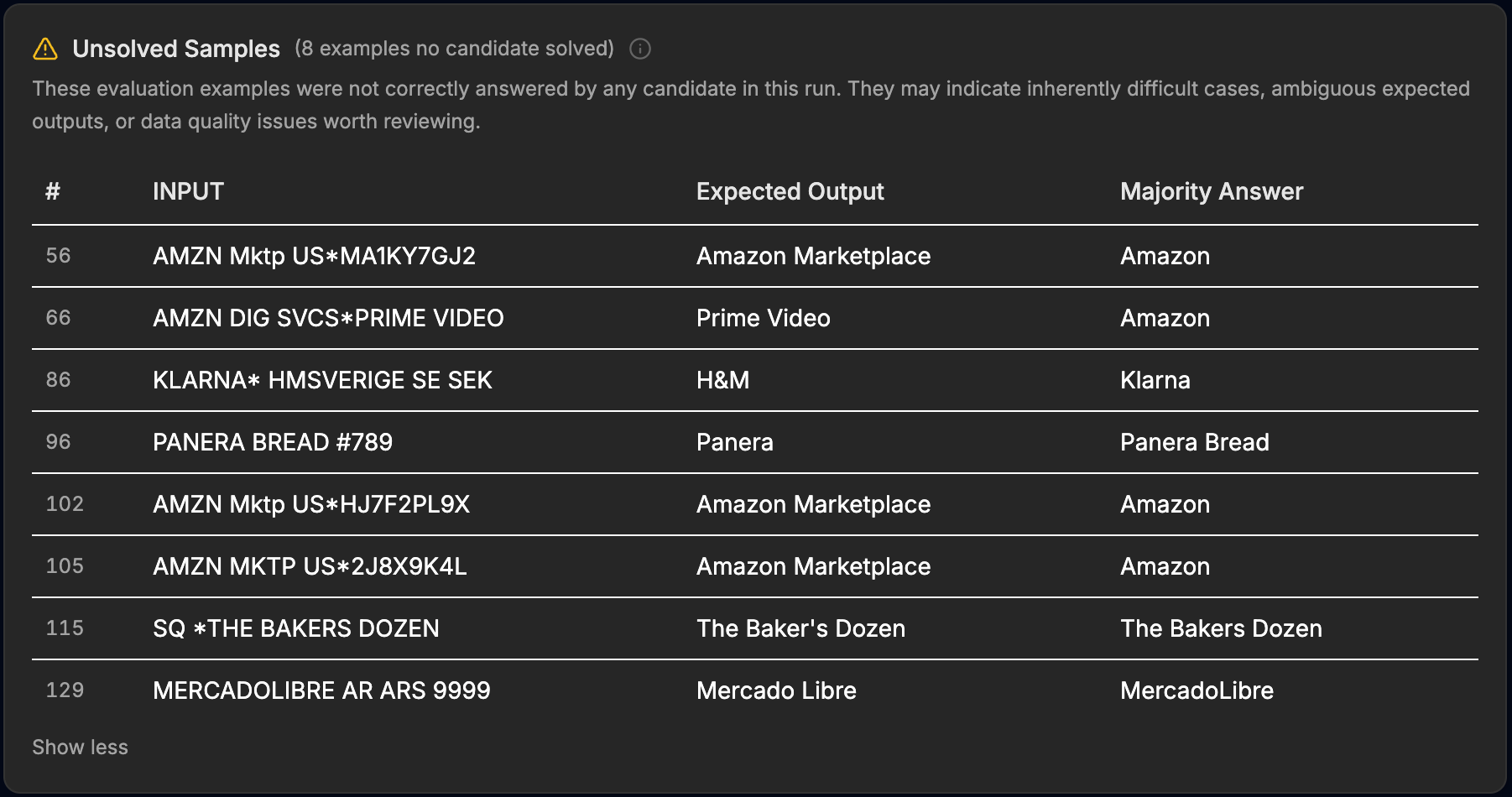
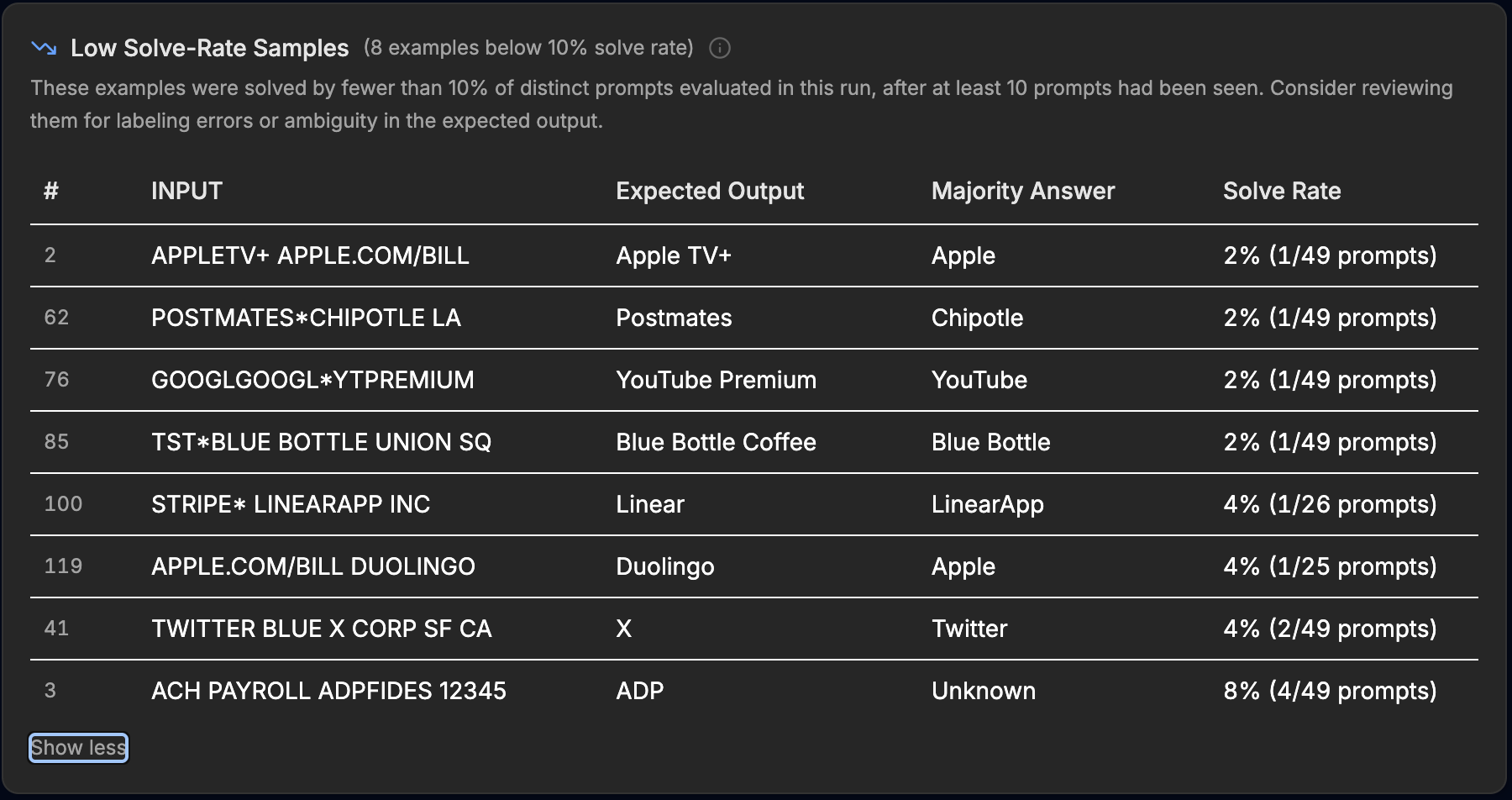
The post-run review tables: eight examples no candidate solved, eight more that fewer than one prompt in ten got right, each with the expected label next to the majority answer.
Read the rows and the misses sort into three kinds:
- Granularity disputes. Three
AMZN Mktprows expectAmazon Marketplace; on all three, the majority answer wasAmazon. The labels wantPrime Video,YouTube Premium, andApple TV+; the models keep reaching for the parent brand. Whether that's a model failure or a labeling decision is genuinely a question for your team, and you'd rather settle it before production than after. - Formatting and punctuation.
The Baker's Dozenlost toThe Bakers Dozenon an apostrophe;Mercado Librelost toMercadoLibreon a space. AndPANERA BREAD #789is labeledPanerawhile the majority answer wasPanera Bread— which is what the descriptor literally says. That label deserves a second look, and this table is what put it in front of us. - Genuine resolution failures. Remember the H&M purchase from the top of the case study? No candidate solved it: for
KLARNA* HMSVERIGE SE SEKthe majority answer was Klarna, the payment rail instead of the merchant behind it — exactly the mistake this dataset exists to punish. The platform conventions tripped the models both ways, too:APPLE.COM/BILL DUOLINGOmostly came backApple(the label wants Duolingo, the service), andPOSTMATES*CHIPOTLE LAmostly came backChipotle(the label wants Postmates, the platform). AndACH PAYROLL ADPFIDES 12345mostly came backUnknownwhen the answer was ADP.
EigenPrompt doesn't decide which is which. It puts the stored label next to the consensus answer with a solve rate, and leaves the judgment to you. Some of these rows are prompt work still to do; some are label spec your team hasn't finished writing. Either way, the score's ceiling is now a finite, reviewable list instead of a mystery.
10. The numbers, all in one place
The run summary is the receipt: baseline 64%, best 81%, the cost figures for both, 48 candidates, three frontier points, 153 ms average latency on the winning prompt, and 40m 47s of optimization time. (About that 30-minute cap from step 6: it is a stop signal the search checks as it runs, and the optimization time also includes the post-run quality analysis.) Total API spend, target and optimizer models combined, was about 80 cents.
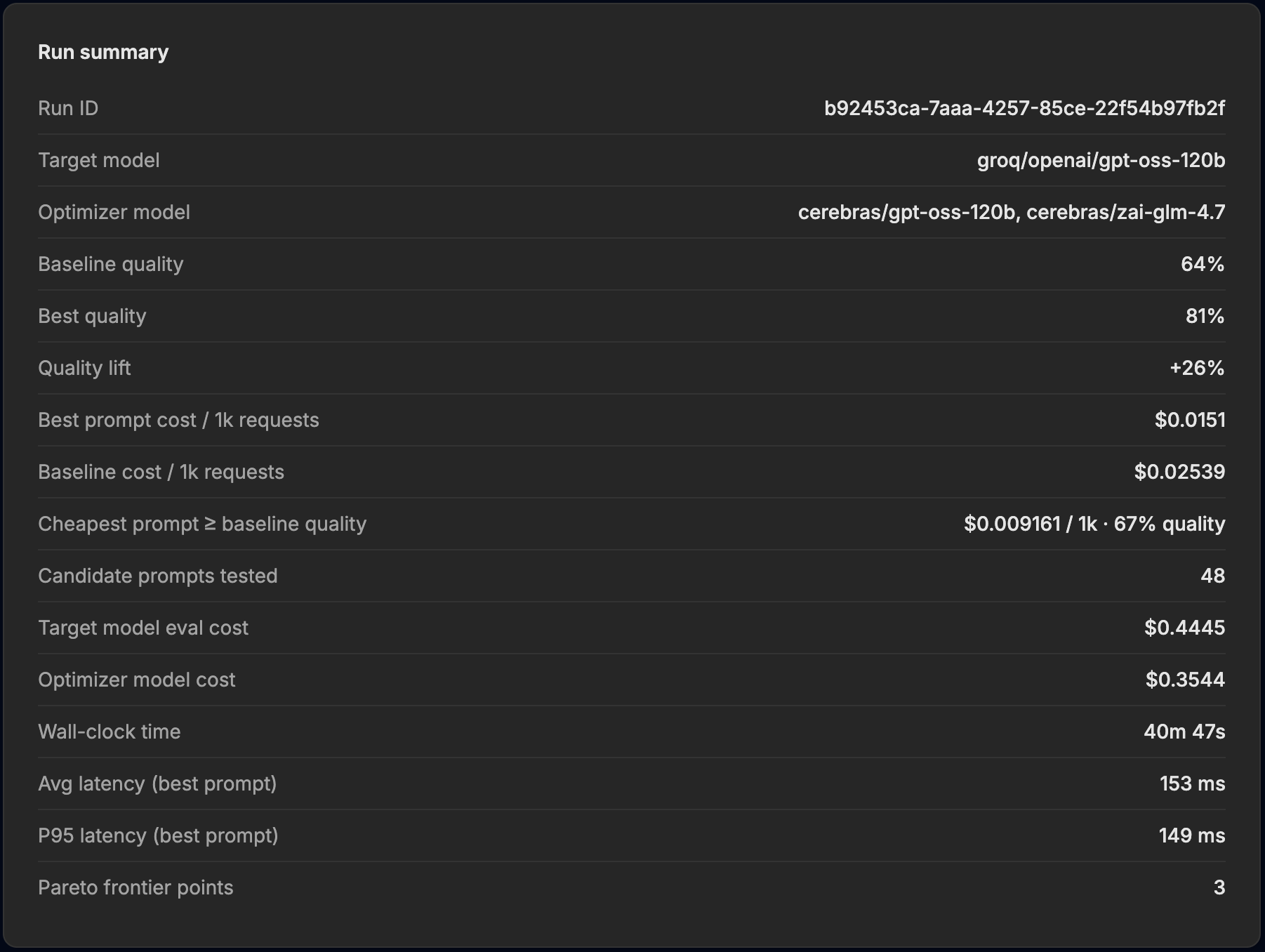
The Standard run summary. Every measured number in this guide traces back to a panel like this one.
Quick reproduction checklist
Upload samples/entity-resolution/dataset.csv from the eigenprompt-resources repository as the dataset, paste the
baseline prompt above, score with exact match, set groq/openai/gpt-oss-120b
as the target model, use cerebras/gpt-oss-120b and cerebras/zai-glm-4.7 as
optimizer models, and run Standard mode with quality analysis enabled. We gave
the Standard run a $25 cost cap and a 30-minute time cap.
Your frontier will not match ours point for point: the baseline alone scored 69%, 64%, and 67% across our three runs. The shape of the result should still match the case study: a menu of prompts, a few of them better and cheaper than the one you started with, and a short list of rows telling you exactly where the remaining points went.